

Tiaris guide
How configuration fits together
Understand App Lists, Policies, Blueprints, immutable versions, and deployment approval.

Open Configuration to work with three reusable building blocks. The distinction helps you make one change in the right place and understand which computers it can affect.
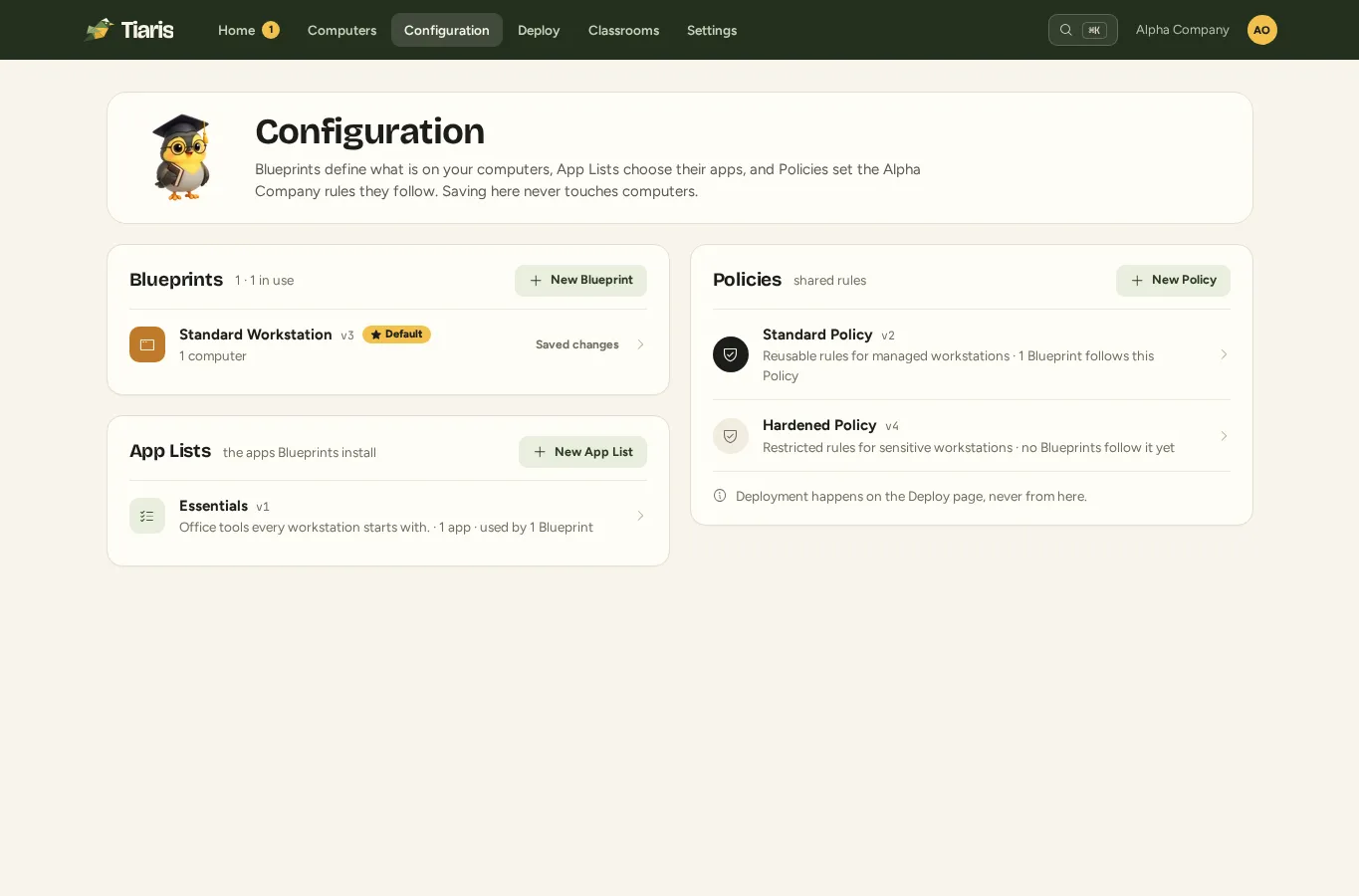
Choose the right building block
Section titled “Choose the right building block”| Building block | What it owns | Example |
|---|---|---|
| App List | A versioned collection of applications selected by Blueprints. | “Office tools” contains the browser and office suite. |
| Policy | Sign-in, security, networking, access, printing, monitoring, and update rules. | “Shared computers” restricts terminal access and cleans up sessions. |
| Blueprint | App List selection, Desktop Experience, appearance, kiosk behavior, and assignment. | “Library workstation” combines the required apps with a kiosk desktop and a shared Policy. |
A Blueprint is composed with an exact Policy revision and exact App List revisions. A released version retains those choices, even when someone later edits a shared dependency.
Follow the Blueprint lifecycle
Section titled “Follow the Blueprint lifecycle”| Action | What happens | Do computers change? |
|---|---|---|
| Save draft | Stores editable Blueprint authoring state. It does not create an immutable version. | No. |
| Prepare release | Freezes an immutable candidate and prepares its delivery files when needed. | No. |
| Release | Makes that exact prepared version available for selection. | No. |
| Deploy | Creates the exact dependency and target plan for review. | No. |
| Approve and start | Authorizes the reviewed plan to run its required stages. | Yes, for the approved targets as they become ready. |
Preparing files or caching them on Nest is not a workstation deployment. A newer available runtime is not, by itself, permission to update a healthy computer.
Save a Policy or App List
Section titled “Save a Policy or App List”These editors have Save and Save & Deploy:
- Save creates an immutable dependency version and prepares candidates for affected released Blueprints. Existing computers keep their current configuration.
- Save & Deploy also creates approval plans for the affected Blueprints. Open Deploy, review each plan, and approve the intended work.
A shared change can affect several Blueprints. Review the affected list before continuing. Test-first selection is offered in the dependency dialog when exactly one Blueprint is affected; for several Blueprints, review testing and approval per plan on Deploy.
Wi-Fi networks are part of the Policy’s staged changes. Adding, editing, or removing a network in the editor does not immediately replace the deployed network configuration. Save the Policy, review its generated Blueprint candidates, and approve deployment.
Assign a computer
Section titled “Assign a computer”A computer follows an exact released Blueprint version. Merely changing the Blueprint’s current release does not silently move that computer to it. Individual assignment and a deployment to selected followers are explicit actions.
Setting a Default Blueprint preselects it for newly adopted computers. It does not reassign existing computers.
Check that the change worked
Section titled “Check that the change worked”A completed command and a verified configuration answer different questions. A command can finish while its check reports drift. After a desktop change, the system can be configured correctly while an existing session is waiting for sign-in. See diagnostics and checks.
Continue with Create and edit Blueprints, Manage Policies, or Deploy updates.