

Tiaris guide
Language and appearance
Choose English or Dutch and a light, dark, or automatic Console appearance.

Tiaris supports English and Dutch in the management Console. Its language and appearance preferences belong to this browser. They do not change an organization’s data or a workstation’s desktop.
Choose a language
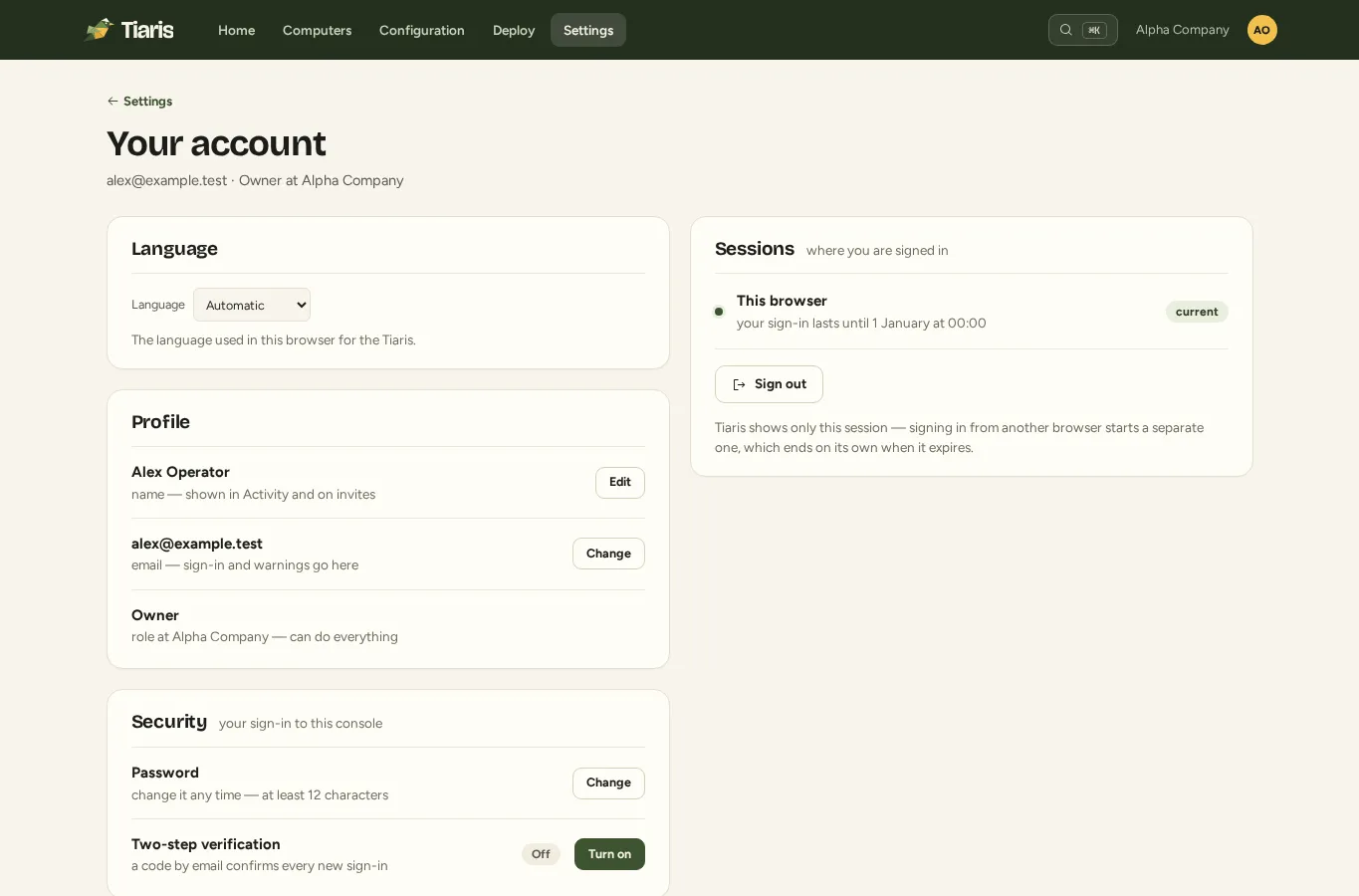
Section titled “Choose a language”Use Language / Taal on the sign-in screen, in the account menu, or under Settings > Your account. Choose English, Nederlands, or Automatic.
Automatic uses a supported language from your browser’s preferences. Dutch regional variants, such as Dutch (Belgium), use Dutch. Other unsupported languages fall back to English.
Your explicit choice is remembered in this browser and shared between its tabs. Switching language preserves values already entered in a form. A different browser or browser profile has its own preference.
Choose light or dark
Section titled “Choose light or dark”Open the account menu or Your account and select Light, Dark, or the automatic option that follows your device’s appearance. The Help site also has its own theme selector in the header.
A Console theme is separate from the managed desktop’s theme. To change what workstation users see, edit the Blueprint’s desktop and appearance settings, then release and deploy that change.
Understand what stays in its original language
Section titled “Understand what stays in its original language”Names you enter for computers, Blueprints, and organizations remain as entered. Package descriptions, raw configuration, and original diagnostic messages can retain their source language. Changing the Console language does not translate existing resource names.
Workstation Language and locale, Keyboard layout, and Timezone belong to the Blueprint. Change them using the settings reference when workstation users need a different environment.
Help in Dutch
Section titled “Help in Dutch”The Dutch starting page links to translated guides for first setup, deployment, troubleshooting, and support. Other detailed references are currently in English. English screenshots illustrate the same workflows even when you choose Dutch in the Console.